

Gemini Spark introduces a different way to work with AI. Instead of only answering a prompt and waiting for your next message, Spark can manage multi-step work, use connected applications, and continue working in the background under your direction.
That power can also make the product feel confusing at first. The interface introduces three closely related concepts—Tasks, Skills, and Schedules—and each one controls a different part of a Gemini Spark workflow.
The simplest way to understand how Gemini Spark works is this: a Task defines what you want completed, a Skill defines how Spark should complete it, and a Schedule defines when it should begin.
Gemini Spark Tasks, Skills, and Schedules in one sentence
Task = what you want done.
Skill = how you want it done.
Schedule = when you want it done.
Once you understand that mental model, it becomes much easier to create reliable background agents without stuffing every instruction, trigger, rule, and output requirement into one enormous prompt.
New to the product itself? Start with our complete guide to what Gemini Spark is and how it works.
Guided Gemini Spark training
Create your first no-code AI agent in seven days
Follow a practical, beginner-friendly path for planning, building, testing, and improving Gemini Spark workflows without trying to figure out the entire system alone.
What Are Gemini Spark Tasks, Skills, and Schedules?
Tasks, Skills, and Schedules are the three building blocks that determine what Gemini Spark should accomplish and how the work should operate over time.
Task
The goal, project, or outcome you want Gemini Spark to manage.
Skill
The reusable instructions, context, preferences, and methods Spark can apply.
Schedule
The time or condition that automatically triggers the work.
These components can work independently. You can give Spark a one-time Task without creating a Schedule, or reuse a Skill across many unrelated Tasks. Their full value appears when you combine them into a repeatable workflow.
The Gemini Spark workflow formula
Task + Skill + Schedule = Repeatable AI Workflow
What Is a Task in Gemini Spark?
A Gemini Spark Task is the high-level goal, project, or result you want the agent to manage. It answers the question: What do I want Spark to accomplish?
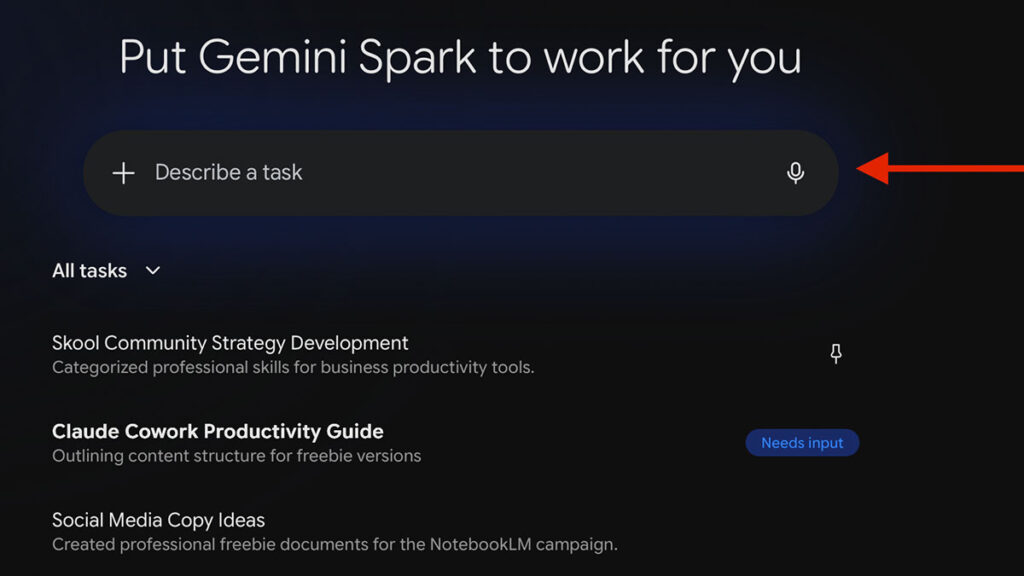
A Task can be simple and immediate, such as finding invoices in Gmail, or it can involve a longer sequence of steps across multiple tools. Depending on your instructions and permissions, Spark may research information, review connected files, create documents, update spreadsheets, draft messages, organize Drive content, or ask you for additional input.
Examples of Gemini Spark Tasks
- Find unpaid invoices in Gmail and organize the details in a spreadsheet.
- Review recent Calendar events and create a summary of completed client work.
- Research competitors and build a comparison document.
- Organize important files from a project into a clearer Google Drive structure.
- Plan a business trip using information from email, Calendar, Drive, and the web.
- Review messages related to a project and prepare follow-up email drafts.
A Task does not have to be recurring. You can assign a one-time project and monitor its progress from the Tasks area. Spark may divide the goal into planned, current, and completed steps, and you can provide more instructions inside the same task thread.
Think of a Task as the assignment. It describes the outcome you want, not merely one background execution of a Skill.
What Is a Skill in Gemini Spark?
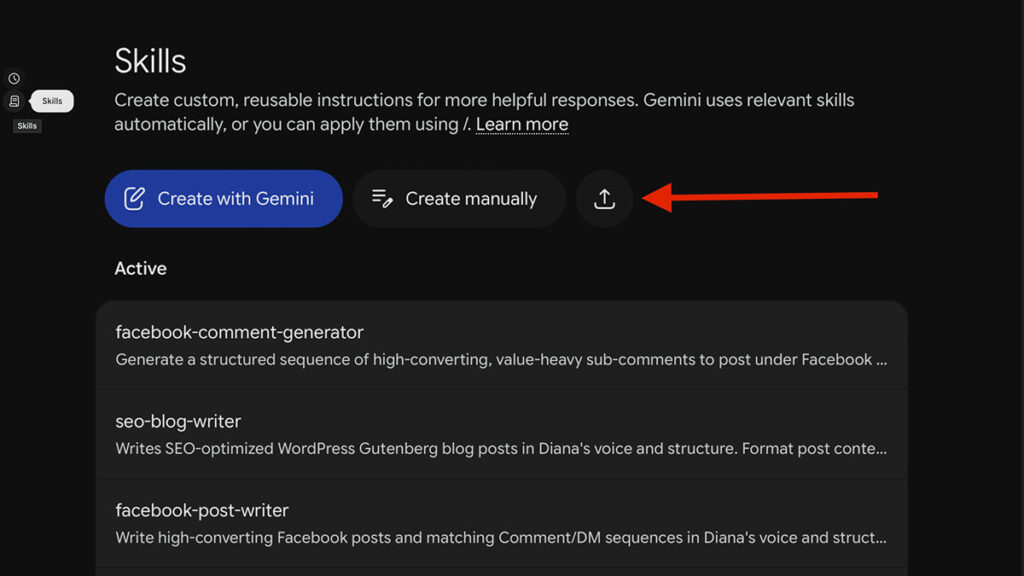
A Gemini Spark Skill is a saved collection of reusable instructions and supporting context. It teaches Spark how you prefer a particular type of work to be completed.
Without a Skill, you may need to repeat the same preferences every time you create a Task. With a Skill, those instructions can be saved once and applied again when they are relevant.
For example, you could create an email-writing Skill that explains your preferred tone, greeting style, sentence length, formatting rules, and approval requirements. Spark could then apply that Skill whenever a Task includes drafting an email.
What Should a Strong Gemini Spark Skill Include?
Google does not require every Skill to follow one rigid template, but a dependable Skill will usually benefit from five elements:
- Purpose: State the specific job the Skill is designed to perform.
- Context: Explain the audience, business situation, preferred sources, and relevant background.
- Process: Describe the steps Spark should follow and the order in which it should follow them.
- Guardrails: Clarify what Spark may do automatically, what it must avoid, and when it should ask for approval.
- Output requirements: Define the format, location, structure, naming convention, and level of detail expected.
Example Gemini Spark Skill
Skill: Weekly Executive Brief Writer
Purpose: Convert project activity into a concise leadership update.
Process: Review the approved project folders, relevant Calendar events, and designated email threads. Identify completed work, active risks, decisions, and next steps.
Guardrail: Do not invent project status information. Flag missing or conflicting details for review.
Output: Create a Google Doc with the sections Wins, In Progress, Risks, Decisions Needed, and Next Week.
Skills are reusable and modular. One Task can use multiple Skills, and Skills can reference other Skills for more complex workflows. Spark can also apply an active Skill automatically when it determines that the Skill is relevant, or you can explicitly select the Skill you want it to use.
You can create your own instructions or start with a reusable package from our free AI Agent Skills Library.
What Is a Schedule in Gemini Spark?
A Gemini Spark Schedule is an automated trigger attached to a Task. It answers the question: When should Spark begin this work?
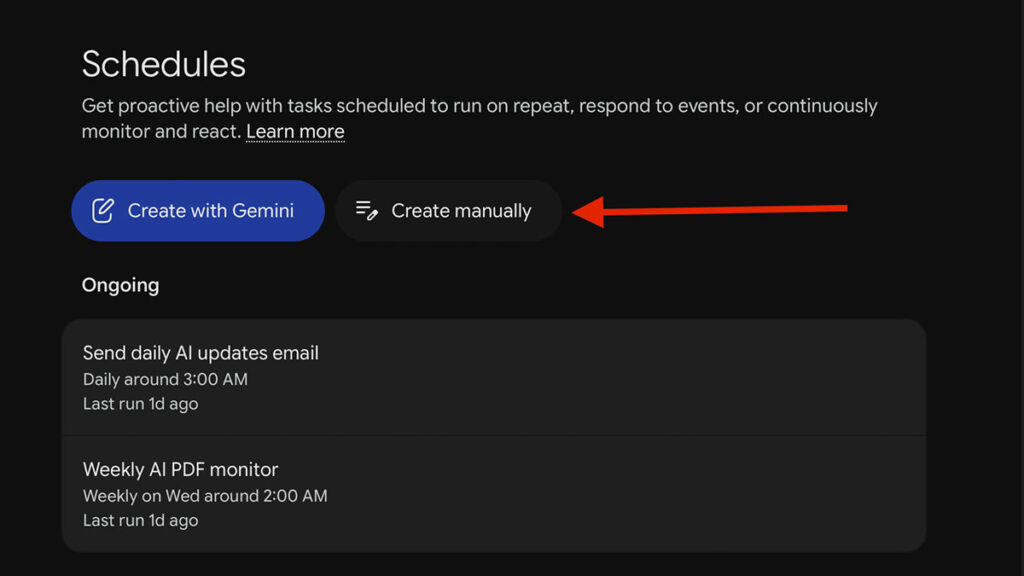
Schedules turn a manually requested Task into an ongoing or automatically initiated workflow. Instead of reopening Gemini and entering the same request every week, you can describe when the work should run and allow Spark to start it in the background.
The Three Types of Gemini Spark Schedules
| Schedule type | How it works | Example |
|---|---|---|
| Time-based | Runs once or repeats hourly, daily, weekly, monthly, or yearly. | Every Monday morning, prepare my weekly priorities. |
| Gmail-triggered | Begins when an incoming email satisfies a defined Gmail filter. | When a new client inquiry arrives, record the lead and prepare a response draft. |
| Monitor | Checks a condition periodically throughout the day and acts when the condition is satisfied. | Check whether a tracked price falls below my target and notify me when it does. |
Schedules can be created conversationally by telling Spark what to do and when to do it. Time-based schedules can also be created manually from the Schedules page.
Important: A scheduled time is not a guaranteed exact execution time. Scheduled Tasks may run later because of system activity, existing Tasks, or other delays. Monitors also check conditions periodically rather than continuously, so they should not be used for emergencies or second-by-second tracking.
Task vs. Skill vs. Schedule: What Is the Difference?
| Component | Question it answers | What it contains | Can it be reused? |
|---|---|---|---|
| Task | What should Spark accomplish? | The goal, project, inputs, requested actions, and desired outcome. | A similar Task can be repeated or scheduled. |
| Skill | How should Spark perform the work? | Reusable instructions, context, preferences, methods, examples, and guardrails. | Yes. It can be applied across many Tasks. |
| Schedule | When should the work begin? | A time, recurrence, Gmail trigger, or monitored condition. | It remains active until paused, edited, or deleted. |
How Tasks, Skills, and Schedules Work Together
Consider a recurring workflow called the Weekly Business Brief Agent. Its purpose is to turn scattered project activity into a structured update every Friday.
Example: Weekly Business Brief Workflow
Task—the what: Review this week’s approved project activity and create a concise business summary.
Skill—the how: Use the Weekly Executive Brief Writer Skill, which defines the approved sources, review process, writing tone, required sections, and rules against inventing missing information.
Schedule—the when: Run every Friday afternoon.
Output: Add the completed brief to a designated Google Doc and identify any items that need human review.
Keeping these components separate makes the workflow easier to maintain. You could change the Schedule from Friday to Monday without rewriting the Skill. You could use the same Skill for a one-time investor update. You could also improve the formatting instructions inside the Skill without rebuilding every Task that relies on it.
Can Spark continue when your computer is off?
Eligible Spark Tasks can continue in Google’s cloud while your device is off, although the Task may pause when Spark needs clarification, permission, or another manual action.
How to Combine a Task, Skill, and Schedule
You do not need to begin with an elaborate autonomous system. Start with one clear result and add complexity only after the basic workflow produces dependable output.
- Choose one outcome. Identify a repetitive project that has a clear beginning, output, and definition of success.
- Define the Task. Explain what Spark should accomplish, which information it may use, and what final deliverable you expect.
- Create or select the Skill. Save the repeated process, preferences, examples, formatting instructions, and safety boundaries.
- Test the Task manually. Run it without a Schedule and inspect the sources, steps, and output.
- Correct unclear instructions. Strengthen the Skill wherever Spark made assumptions, skipped a step, or formatted the result incorrectly.
- Add the Schedule. Choose a reasonable time, Gmail trigger, or monitored condition after the workflow performs reliably.
- Review early runs. Check the Task regularly for permission requests, missing context, errors, and unintended actions.
For the complete setup process, see our step-by-step guide on How to Use Gemini Spark.
Best Practices for Reliable Gemini Spark Workflows
1. Make Every Task Outcome Specific
“Help me with my business” is too broad. “Review this week’s client activity and create a five-section status report” gives Spark a defined deliverable and a clearer stopping point.
2. Keep Skills Reusable
A reusable Skill should generally control one repeatable capability, such as writing in your brand voice, auditing a spreadsheet, qualifying a lead, or formatting research. Avoid creating one oversized Skill that attempts to manage every administrative process in your business.
3. Separate Instructions From Triggers
Place reusable process instructions inside the Skill and timing conditions inside the Schedule. This makes each part easier to update and reduces duplicated instructions.
4. Test Before You Automate
Run the Task manually several times before attaching a recurring Schedule. Automation multiplies both successful instructions and poorly written instructions.
Common Gemini Spark Workflow Mistakes
- Treating a Task as a Skill: Repeating every permanent preference inside every new Task instead of saving reusable instructions.
- Scheduling an untested workflow: Automating a Task before confirming that its sources, permissions, and output are correct.
- Using vague trigger language: Creating conditions that are too broad and may activate more often than intended.
- Expecting exact timing: Building a time-sensitive business process around a Schedule that may run approximately rather than at an exact second.
- Giving excessive permissions: Connecting more applications, folders, accounts, or websites than the Task actually requires.
- Combining unrelated jobs: Asking one Task to research, reorganize files, contact customers, manage finances, and update reporting simultaneously.
- Skipping review: Assuming that a background agent will always interpret incomplete context correctly.
Gemini Spark Privacy and Permission Considerations
Gemini Spark can be useful precisely because it can work with connected information. That access also means workflows should be designed deliberately.
Depending on the Task, Spark may process information from your instructions, Skills, Schedules, Connected Apps, Personal Intelligence, remote browser sessions, remote computer files, and websites it interacts with. Some Tasks may also require information to be passed to another service to complete the requested action.
- Connect only the applications required for the workflow.
- Limit Tasks to relevant folders, labels, accounts, and date ranges.
- Do not place unnecessary passwords, financial details, or sensitive personal information inside Skill instructions.
- Review Google’s current Gemini Apps Privacy Notice and Spark settings before authorizing sensitive workflows.
Who Can Access Gemini Spark?
Gemini Spark availability depends on your plan, account, age, language, country, and settings. Because requirements may change, review our current Gemini Spark availability guide before subscribing or creating a workflow.
Review our regularly updated Gemini Spark availability guide before planning a workflow around the feature.
Turn the framework into a working agent
Start building with a clear Task, Skill, and Schedule
Use the guided Gemini Spark learning path to choose a workflow, create reusable instructions, test the output, and safely add automation.
Frequently Asked Questions About Gemini Spark Tasks, Skills, and Schedules
What is the difference between a Gemini Spark Task, Skill, and Schedule?
A Task is the goal you want Gemini Spark to complete. A Skill contains reusable instructions and context that define how Spark should work. A Schedule determines when the Task should begin, such as at a recurring time, after a matching Gmail message, or when a monitored condition is satisfied.
Can a Gemini Spark Task run without a Schedule?
Yes. You can assign a one-time Task and allow Spark to begin working immediately without creating a Schedule. Schedules are only needed when you want the Task to begin later, repeat automatically, or respond to a supported condition.
Can one Gemini Spark Task use multiple Skills?
Yes. Gemini Spark can use multiple Skills within one Task. This can be useful when a workflow requires several reusable capabilities, such as a research Skill, a spreadsheet-formatting Skill, and an email-writing Skill.
Can Gemini Spark automatically choose a Skill?
Yes. Gemini Spark can automatically apply an active Skill when it determines that the Skill is relevant to the Task. You can also explicitly select the Skill you want Spark to use.
What types of Schedules does Gemini Spark support?
Gemini Spark supports time-based Schedules, Gmail-triggered Schedules, and monitors. Time-based Schedules can run once or repeat. Gmail triggers begin when a matching email arrives. Monitors periodically check whether a condition has been satisfied.
Do Gemini Spark Schedules run at the exact selected time?
Not necessarily. Scheduled run times are approximate and Tasks may be delayed because of system traffic or other active work. Monitors also check periodically rather than continuously, so they are not suitable for urgent or second-by-second alerts.
Does Gemini Spark continue working when my computer is closed?
Yes. Gemini Spark is cloud based and can continue working in the background when your computer or phone is turned off. However, some Tasks may pause when Spark needs clarification, permission, a login, or another action from you.
Do I need coding experience to use Gemini Spark?
No. Tasks, Skills, and Schedules can be created with conversational instructions. More advanced users can also upload supported Skill files, but programming knowledge is not required for ordinary workflow creation.

