Gemini Spark is Google’s new AI agent experience designed to help people move beyond one-off AI prompts and into more useful, repeatable AI workflows.
Instead of opening an AI chat, typing a prompt, getting an answer, and starting over again the next day, Gemini Spark is built around a bigger idea: giving an AI agent a task so it can help manage more complex workflows over time.
That matters because most people do not just need better prompts. They need better AI workflows.
Gemini Spark availability note: Gemini Spark is currently rolling out to eligible Google AI Ultra users in the United States, trusted testers and select business users. However, do not need Spark access to start learning below. This article helps you prepare and build Spark-ready AI workflows.
They need help turning scattered tasks like research, planning, summaries, emails, documents, content ideas, and business workflows into something repeatable.
That is where Gemini Spark starts to become interesting.
In this beginner guide, we will break down what Gemini Spark is, how it is different from regular Gemini, what kinds of AI agents you may be able to build with it, and how to start thinking about no-code AI workflows even if you are brand new.
What is Gemini Spark?
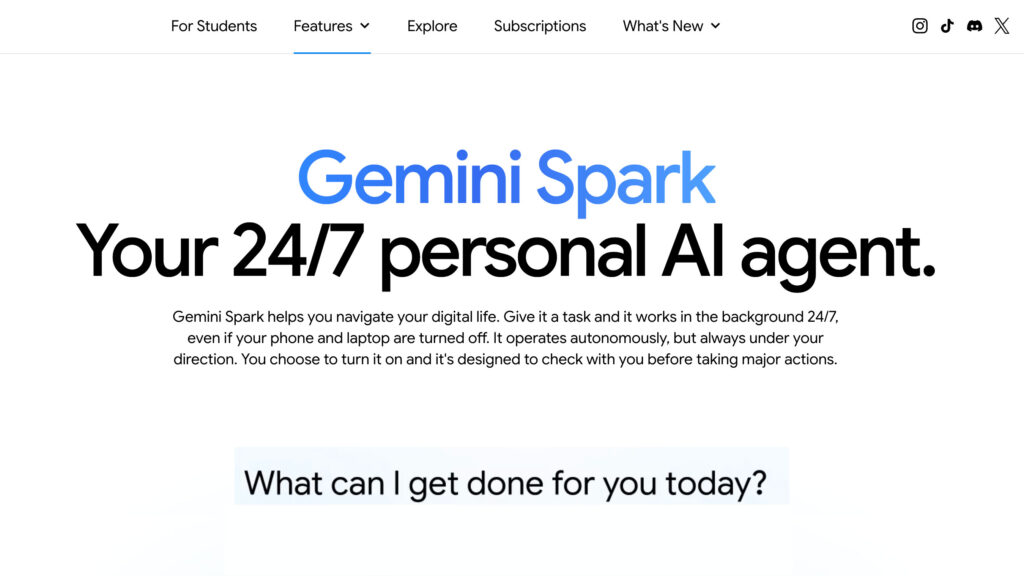
Gemini Spark is a personal AI agent experience inside Google’s Gemini ecosystem. It is designed to help with tasks and workflows that go beyond a normal chatbot conversation.
A regular AI chatbot usually works like this:
- You ask a question.
- It gives an answer.
- The conversation ends.
Gemini Spark is different because it is designed around agent-style work. That means it can help with longer, more complex tasks where the AI needs to understand a goal, use context, and help move a workflow forward.
In simple terms:
Gemini Spark is not just for asking questions. It is for getting things done.
For beginners, the easiest way to understand it is this:
- Gemini is where you chat with AI.
- Gemini Gems are custom AI helpers for repeatable instructions.
- Gemini Spark is more like an AI agent that can help manage tasks and workflows.
This is why Spark is important. It points toward a future where AI is not just a writing assistant or brainstorming tool. It becomes more like a workflow partner.
How to explain an AI agent workflow to a beginner in simple terms:
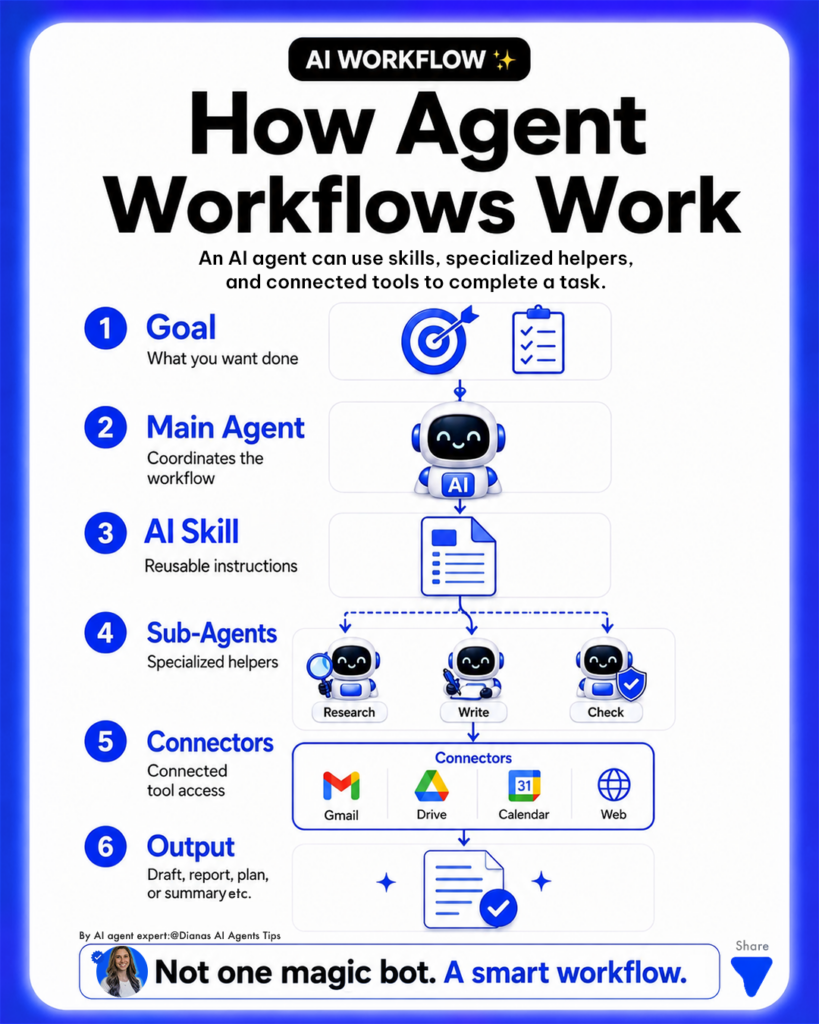
Graphic created by AI expert Diana’s AI Agents Tips founder of AI Agents Library
Why Gemini Spark matters
Most beginners use AI in a very manual way.
- They open ChatGPT, Claude, or Gemini.
- They paste a prompt.
- They get an answer.
- Then they repeat the same process again tomorrow.
That works, but it is not very efficient.
Try our free AI agent generator to better understanding of how AI agents and skills work.
The real power of AI comes when you can create reusable systems. For example, instead of asking AI to “help me plan content” every week, you could create a content planning workflow that follows your brand, checks your topics, creates a weekly plan, and gives you repeatable outputs.
That is the shift Gemini Spark represents.
It moves people from:
Random prompts
to repeatable workflows
One-time answers
to reusable systems
Manual AI use
to agent-style automation
This is especially useful for small business owners, creators, consultants, marketers, coaches, educators, and anyone who repeats similar digital tasks every week.
Gemini Spark vs. regular Gemini
Gemini is Google’s AI assistant. You can use it to ask questions, summarize information, write content, brainstorm ideas, explain concepts, and help with everyday tasks.
Gemini Spark is more agent-focused.
The difference is not just the model. It is the workflow.
Regular Gemini is best when you want a direct answer or help with a specific task.
Gemini Spark is designed for more complex workflows where the AI may need to help with planning, monitoring, organizing, or completing a multi-step process.
Here is a simple way to think about it:
- Use Gemini when you want to ask AI something.
- Use Gemini Gems when you want to save repeatable instructions.
- Use Gemini Spark when you want to build or manage a larger AI-powered workflow.
For example, if you ask Gemini to “summarize this article,” that is a simple chat task.
If you create a Gem that always summarizes articles in your preferred format, that is a reusable assistant.
If you use Spark to help coordinate a larger research, AI note taking, or planning workflow, that is moving closer to an AI agent system.
Gemini Spark vs. Gemini Gems
Gemini Gems and Gemini Spark are related, but they are not the same thing.
Gemini Gems are custom versions of Gemini that you can set up with specific instructions. They are helpful when you repeat the same type of task often.
For example, you could create a Gem for:
- Content ideas
- Email writing
- Lesson planning
- Business brainstorming
- Research summaries
- Social media captions
- Website copy feedback
A Gem is like a custom AI helper.
Gemini Spark is more about agentic workflows. It is designed to help handle more complex tasks that may involve multiple steps, context, connected tools, and ongoing work.
A simple way to compare them:
- Gemini Gems help you create custom AI experts.
- Gemini Spark helps you think in terms of AI agents and workflows.
For beginners, Gems are a great starting point because they teach you how to create repeatable instructions. Spark takes that idea further by helping AI become more useful across real workflows.
What can you build with Gemini Spark?
Gemini Spark is most useful when you stop thinking about “prompts” and start thinking about “workflows.”
An AI workflow is a repeatable process that helps you complete a task.
For example, “write a caption” is a task.
But a content workflow might include:
- Finding the topic
- Researching examples
- Creating a hook
- Writing a caption
- Suggesting visuals
- Repurposing it into an email
- Saving ideas for future posts
That is a workflow.
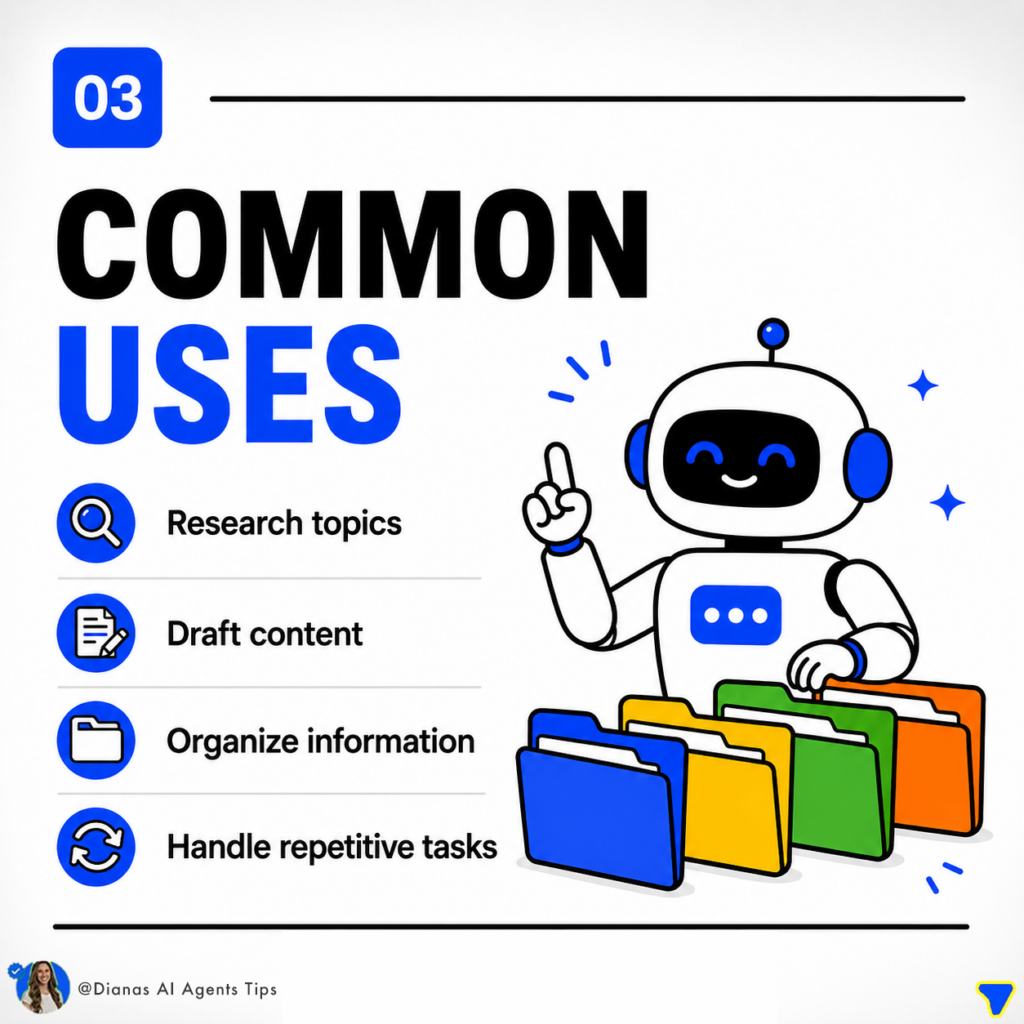
Practical Gemini Spark workflow ideas for business and beginners
1. AI news tracking workflow
You could create a workflow that helps you track important AI updates, summarize them, and turn them into content ideas.
This could help you answer:
- What changed this week?
- Why does it matter?
- Who should care?
- How could I explain this to beginners?
- What content could I create from this update?
Try our free AI news skill here to discover how this can be helpful for marketers, researchers, businesses and anyone with a newsletter.
2. Weekly planning workflow
A weekly planning agent could help you organize your week based on your priorities, projects, meetings, and goals.
Instead of starting from scratch every Monday, the workflow could help you:
- Review your goals
- Organize important tasks
- Prioritize what matters
- Create a simple schedule
- Identify what can be automated or delegated
This is one of the easiest beginner use cases because almost everyone needs planning help.
3. Content planning workflow
A content planning workflow could help you turn one idea into multiple pieces of content.
For example, you could start with one topic and generate:
- A blog post angle
- A short-form video script
- A carousel outline
- A caption
- An email newsletter idea
- A beginner-friendly explanation
- A CTA
This is much more powerful than asking AI for “10 post ideas” because the workflow has a repeatable structure.
4. Research summary workflow
A research AI workflow could help you summarize articles, compare sources, extract key points, and organize insights.
This could be helpful for:
- Blog writing
- Business research
- AI technology news
- Competitor analysis
- Product research
- Student learning
- Client work
- Trend tracking
The key is to create a repeatable process instead of manually asking AI to summarize each source in a different way.
5. Competitor research workflow
A competitor research workflow could help you review competitor websites, offers, headlines, pricing, positioning, and content strategy.
For example, it could help answer:
- What is their main offer?
- Who are they targeting?
- What benefits do they highlight?
- What keywords are they using?
- What gaps can I find?
- How can I make my offer clearer?
This is especially useful for entrepreneurs, creators, agencies, and small businesses.
6. Website copy audit workflow
A website copy workflow could help you review landing pages, homepages, and sales pages.
It could check for:
- Clear headline
- Strong offer
- Beginner-friendly explanation
- Trust signals
- CTA placement
- FAQ gaps
- SEO opportunities
- Conversion issues
This kind of workflow is powerful because it turns AI from a basic writing tool into a repeatable review system.
7. Document workflow
A document workflow could help you summarize, organize, rewrite, or extract action items from documents.
This could be useful for:
- Meeting notes
- Client briefs
- Research docs
- Lesson plans
- Reports
- SOPs
- Training materials
Instead of reading everything manually, you can build a workflow that extracts the most useful information and turns it into the next action.
8. Client onboarding workflow
A client onboarding workflow could help collect information, summarize client needs, create next steps, and generate a project plan.
For service providers, this could save a lot of time.
It could help organize:
- Client goals
- Brand voice
- Project scope
- Important deadlines
- Deliverables
- Questions to ask
- Next steps
Try our free AI agent generator to quickly understand why AI agents are more useful than simple prompts.
Do you need coding to use Gemini Spark?
No, Gemini Spark is part of a larger no-code AI agent trend.
That means beginners do not necessarily need to know how to code to start using AI agents or workflows.
But there is one important thing to understand:
No-code does not mean no strategy.
Even if a tool is beginner-friendly, you still need to know what you want the agent to do, what information it needs, what steps it should follow, and what a good output looks like.
That is where most beginners get stuck.
They do not need coding help.
They need workflow help.
They need to know:
- What should I build first?
- How do I structure the instructions?
- What should the agent remember?
- What should the workflow produce?
- How do I make the result useful?
- How do I avoid vague outputs?
That is the real skill behind Gemini Spark and no-code AI agents.
What if you do not have access to Gemini Spark yet?
If you do not have access to Gemini Spark yet, you can still start learning the most important skill: how to think in AI workflows inside our Gemini Spark Academy.
That means you can practice building reusable systems with tools like Gemini, Gemini Gems, Claude, ChatGPT, and other AI tools.
The tool may change, but the workflow thinking stays valuable.
For example, you can already practice:
- Writing better reusable instructions
- Creating custom AI assistants
- Building repeatable prompt systems
- Designing workflow steps
- Testing outputs
- Improving your agent instructions
- Turning one task into a system
This is why beginners should not wait until every AI tool is fully rolled out to start learning.
The people who understand workflow design early will be much better prepared when tools like Gemini Spark become more widely available.
How to start learning Gemini Spark workflows
The best way to start is not by trying to build a huge AI agent.
Start with one repeatable task.
Pick something you already do often, like:
- Planning content
- Summarizing research
- Creating weekly priorities
- Auditing website copy
- Tracking AI news
- Writing emails
- Organizing documents
Then ask yourself:
- What is the goal?
- What information does the AI need?
- What steps should it follow?
- What should the final output look like?
- How will I reuse this again?
That is the foundation of an AI workflow.
Here is a simple beginner framework:
- Choose one repetitive task.
- Write the goal in one sentence.
- List the steps you usually take.
- Turn those steps into AI instructions.
- Test the output.
- Improve the instructions.
- Save the workflow so you can reuse it.
That is how you move from random AI prompting to practical AI agent building.
Gemini Spark workflow examples for beginners
Here are a few beginner-friendly examples you could start thinking through:
- A weekly content planner that turns one idea into posts, captions, and emails.
- A research assistant that summarizes articles and extracts useful takeaways.
- An AI news tracker that organizes updates by importance and audience.
- A website copy reviewer that checks clarity, SEO, and conversion issues.
- A business idea assistant that evaluates ideas, audience fit, and next steps.
- A personal productivity planner that turns goals into a weekly action plan.
- A document assistant that summarizes long docs and creates action items.
- A competitor research assistant that compares offers, keywords, and positioning.
The goal is not to build something complicated. The goal is to build something useful.
Is Gemini Spark good for beginners?
Gemini Spark can be beginner-friendly, but beginners still need guidance.
The hardest part of AI agents is not always the tool itself. The hardest part is knowing what to build and how to structure it.
A beginner may open an AI tool and think:
- What do I type?
- What should this agent do?
- What makes a good workflow?
- How do I stop getting generic answers?
- How do I turn this into something I can reuse?
That is why examples, templates, and step-by-step workflows are so helpful.
Most people do not need 500 random prompts.
They need a clear path.
They need simple use cases.
They need done-for-you examples they can customize.
They need to see what a practical AI workflow looks like.
Best Gemini Spark use cases
The best beginner use cases are practical, repeatable, and easy to test.
Here are some of the strongest categories:
- Research and summaries
- Content planning
- Business planning
- Marketing workflows
- Website copy audits
- Weekly productivity
- Document workflows
- AI news tracking
- Client onboarding
- Competitor research
- Email drafting
- Learning and studying
The best use case is usually not the flashiest one. It is the one that saves you time every week.
Gemini Spark and the future of AI agents
Gemini Spark is part of a bigger shift happening across AI.
AI is moving from chatbots to agents.
A chatbot answers.
An agent helps do.
That does not mean AI agents are perfect. It also does not mean you should hand over everything to AI without checking the work.
But it does mean the future of AI will be more workflow-based.
People who learn how to design simple, useful AI workflows will have a major advantage.
They will know how to use AI for real tasks, not just random prompts.
Want help learning Gemini Spark workflows?
If you want a beginner-friendly path for learning Gemini Spark workflows, no-code AI agents, and reusable AI skills, join our growing Gemini Spark Accelerator.
Inside, you get practical setup guidance, workflow examples, and 120+ done-for-you AI skills you can use for business, content, research, planning, and productivity.
The goal is simple:
- Stop guessing what to build.
- Start creating useful AI agent workflows.
Learn more about the AI Agent Accelerator here: Gemini Spark Academy
Frequently Asked Questions
What is Gemini Spark?
Gemini Spark is Google’s AI agent experience designed to help users manage tasks and workflows beyond a normal chatbot conversation. It is focused on agent-style work, where AI can help with more complex and repeatable tasks.
Is Gemini Spark the same as Gemini?
No. Gemini is Google’s AI assistant for chat, writing, research, brainstorming, and everyday AI help. Gemini Spark is more focused on agent-style workflows and task automation.
Is Gemini Spark the same as Gemini Gems?
No. Gemini Gems are custom AI helpers that can save repeatable instructions. Gemini Spark is more focused on broader AI agent workflows and tasks.
Do I need coding experience to use Gemini Spark?
No coding experience is required for beginner-level AI agent workflows. However, you still need to understand how to structure tasks, write clear instructions, and design useful workflows.
What can Gemini Spark be used for?
Gemini Spark can be useful for planning, research, summaries, scheduling, content workflows, document workflows, competitor research, and other repeatable digital tasks.
What if I do not have access to Gemini Spark yet?
You can learn AI workflow design with our Gemini Spark Academy or using Gemini, Gemini Gems, Claude, ChatGPT, and other AI tools. The same workflow thinking can help you prepare for tools like Gemini Spark as access expands.