

Important update — June 12, 2026: Anthropic has suspended access to Claude Fable 5 and Claude Mythos 5 for all customers following a U.S. government export-control directive. Anthropic says it is working to restore access. Other Claude models remain available.
This guide has been updated and remains useful for understanding Claude Fable 5’s capabilities, use cases, and what to expect if access returns.
Most people who finally get access to Claude Fable 5 do the same thing: they ask it to write one caption, shrug, and switch back to their old model. That is the wrong first step.
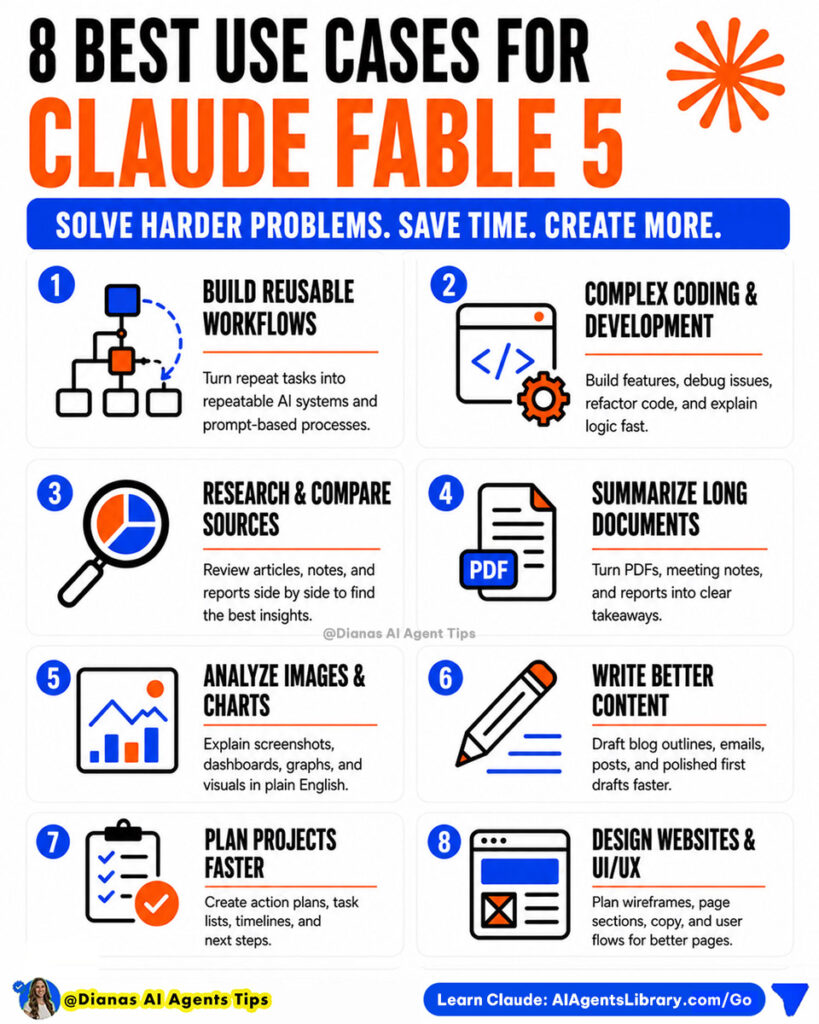
Claude Fable 5 is Anthropic’s most capable broadly available model, built for harder coding, deeper research, long documents, visual analysis, and multi-step AI agent workflows. You only see the difference when you give it a real job, not a tiny one.
New to the model? Start with What Is Claude Fable 5? first, then come back here for the use cases worth trying.
Who this guide is for
This guide is best for:
- Business owners who want practical AI workflows
- Creators repurposing content across platforms
- Beginners learning Claude Fable 5
- Consultants doing research, audits, or client work
- Non-technical users who want AI agents without coding
When to actually reach for Claude Fable 5
Before the list, one rule:
Use simple models for simple work. Use Claude Fable 5 when the task is long, layered, high-value, or hard.
If a task fits in one sentence and one paragraph back, you do not need Fable 5. The use cases below are the opposite. They have multiple steps, lots of context, or a real outcome attached, which is exactly where the extra reasoning pays off.
1. Run a full website and SEO audit

This is one of the highest-ROI things you can do with Claude Fable 5. Instead of a vague “make my page better,” give it the page and a clear scope.
Act as an SEO expert website auditor. Here is my page URL and target keyword: [paste]. Give me search intent, the top 10 fixes in priority order, 3 title options, a meta description, an H2 outline, internal link ideas, and 5 FAQ questions. Then rewrite the weakest section. Organize everything excellently.2. Turn one blog post into a content system
Most creators treat every platform as a separate task. That is slow. Claude Fable 5 is built to take one strong idea and spin it into a full set of assets in a single pass.
You are an expert social media marketer and writer. Turn this blog post into a content system: [paste]. I want a Facebook post with a hook, a 6-slide carousel outline, one email idea, a short video hook, an SEO title and meta description, and 3 FAQs. Keep it punchy and beginner-friendly.3. Build a reusable AI agent from a task you repeat
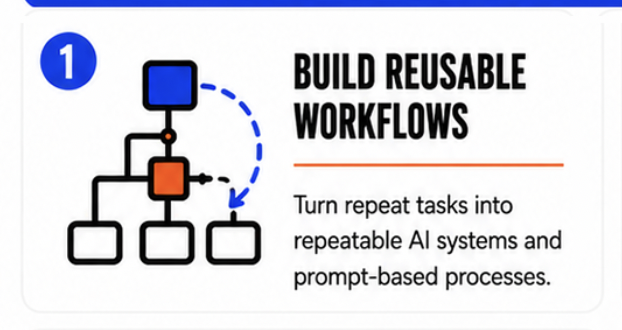
This is where Fable 5 stops being a chatbot and starts being a workforce. Pick a task you do every week and have it design the workflow once so you never start from scratch again.
You are an AI workflow expert. Turn this task into a reusable AI agent in Claude: [task]. My audience is [audience]. Give me the purpose, required inputs, step-by-step process, output format, a quality checklist, and one saved prompt I can rerun.4. Build a multi-source research brief
When you have several articles, reports, or sources and need a clear point of view, Fable 5 can compare them, find patterns, and surface what actually matters.
You are a research expert. Compare these sources on [topic]: [paste]. Show where they agree and disagree, the 5 biggest takeaways, anything outdated, and 3 content ideas at the end. Keep it beginner-friendly.5. Analyze a screenshot, landing page, or carousel
Fable 5 is strong at visual analysis, so stop asking it only to write. Ask it to look. Drop in a screenshot of your homepage, a sales page, a dashboard, or a carousel and have it critique what is confusing.
Here is a screenshot of my landing page. As a conversion reviewer, tell me what is unclear in the first 3 seconds, whether the offer and CTA are obvious, and the top 5 fixes in priority order.6. Plan a technical project, even if you are not a developer
Fable 5 is built for complex coding and debugging. But you do not have to write code to benefit. You can use it to understand a bug, scope a feature, or turn a business idea into a technical brief you can hand to a developer.
I am not a developer. I want this feature on my site: [describe]. Turn it into a technical brief for a developer with the goal, must-have requirements, edge cases, and questions I should ask before they start.7. Turn customer feedback into action
Reviews, survey replies, and DMs pile up. Fable 5 can read all of it at once and tell you what to actually do about it.
Here is a batch of customer feedback: [paste]. Group it into themes, rank them by frequency, pull 3 quotes per theme, and give me the top 5 changes that would most improve retention.8. Audit your offer and plan a launch
This is the business-strategy use case. Give Fable 5 real context, not a vague “how do I grow,” and it will return a usable plan.
Review this offer, audience, and sales page copy: [paste]. Give me the top 5 conversion issues, the strongest positioning angle, the next 3 actions, and a simple 2-week launch plan.9. Summarize long documents and transcripts
Long-context work is a Fable 5 strength. Meeting transcripts, long reports, course outlines, and strategy docs are no problem.
Summarize this transcript: [paste]. I want a one-paragraph summary, the key decisions, action items with owners, open questions, and a short follow-up email to the team.10. Understand a complex AI update fast
AI news moves fast and most of it is noise. Fable 5 can translate a dense announcement into what changed, why it matters, and what to do about it.
Explain this AI announcement in plain English: [paste]. Cover what changed, why it matters for a small business owner, 3 beginner use cases, and one content idea I could post this week.For another fast-moving tool worth understanding, read What Is Gemini Spark?.
11. Write SOPs and onboarding docs
If something only lives in your head, your business cannot scale. Fable 5 can turn your messy process notes into a clean, repeatable SOP.
Turn these rough process notes into an SOP: [paste]. Include the purpose, tools needed, numbered steps, common mistakes, and a quality checklist a new hire could follow.12. Build a weekly business brief agent
End your week with clarity instead of a guess. Feed Fable 5 your notes, numbers, and to-dos and have it produce the same brief every Friday.
Act as my weekly business brief agent. Using these notes and numbers: [paste]. Give me wins, priorities, risks, opportunities, action items, and my single most important focus next week. Keep it short.Save the prompt once and you have a repeatable system, not a one-off.
How to get better results from Claude Fable 5
Notice what every prompt above has in common. None of them say “help me.” They all give Claude Fable 5 a role, real context, clear steps, and a defined output.
That is the whole game. The model is powerful, but the leverage comes from how you frame the task. Once a prompt works, do not throw it away. Turn it into a reusable workflow so you never rebuild it from scratch.
Final thoughts: pick one and try it today
Do not try to use Claude Fable 5 for everything at once. Pick one use case from this list, the one tied to a task you already repeat, and run the starter prompt.
Then refine it, save it, and turn it into a workflow you reuse every week. That is the difference between casually using AI and actually putting it to work.
Want more beginner-friendly AI skills and no-code workflows? Explore AI Agents Library and start with one useful workflow.
Related AI agent guides
- What Is Claude Fable 5?
- What Is Gemini Spark?
- Claude Cowork Academy
- AI Agent Academy
- AI Agent Skills Library
What can I use Claude Fable 5 for?
Claude Fable 5 is best for harder, multi-step tasks: full website and SEO audits, multi-source research briefs, content systems built from one idea, visual analysis of screenshots and landing pages, technical planning, customer feedback analysis, long document summaries, and reusable AI agent workflows.
What is the best first thing to try with Claude Fable 5?
Pick one task you already repeat each week, such as auditing a page, repurposing a blog post, or writing a weekly business brief. Give Claude Fable 5 a role, real context, clear steps, and a defined output, then save the prompt as a reusable workflow.
Can Claude Fable 5 do SEO and website audits?
Yes. Claude Fable 5 is well-suited for SEO and website audits. You can ask it to identify search intent, prioritize fixes, suggest titles and meta descriptions, structure your H1 and H2 tags, find internal link opportunities, and rewrite weak sections.
Can Claude Fable 5 analyze images and screenshots?
Yes. Claude Fable 5 is strong at visual analysis. You can share a screenshot of a homepage, landing page, dashboard, or carousel and ask it to critique clarity, offer messaging, CTA placement, and what is confusing, then return prioritized changes.
Can Claude Fable 5 help with content repurposing?
Yes. Claude Fable 5 can take one blog post or idea and turn it into a full content system, including a Facebook post, a carousel outline, an email idea, a video hook, SEO metadata, and FAQ questions in a single pass.
Is Claude Fable 5 worth using for business owners?
Yes, when the task is high-value or complex. Business owners can use Claude Fable 5 to audit offers, plan launches, compare competitors, organize customer feedback, write SOPs, and build weekly business briefs. The key is giving it real context, not vague prompts.
Does Claude Fable 5 have limits or safeguards?
Yes. Claude Fable 5 includes safeguards for cybersecurity and biology, and flagged requests in those areas are routed to Claude Opus 4.8 instead. Anthropic also requires 30-day data retention for safety monitoring, which matters if you handle sensitive or regulated data.
Do I need to be technical to use Claude Fable 5?
No. Beginners and non-developers can use Claude Fable 5 for research, content, audits, planning, and workflow design. You do not need to write code. You just need to give the model a clear job, the right context, and a defined output.