
Is Gemini Spark available? Yes. As of June 14, 2026, Google says Gemini Spark is available to all Google AI Ultra subscribers in the United States.
However, having a Google AI Ultra subscription is not the only requirement. You must also be at least 18 years old, use a personal Google Account, have Keep Activity turned on, and use Gemini Spark in English through the Gemini web or mobile app.
This guide explains the current Gemini Spark availability, supported countries, account requirements, Google AI Ultra pricing, where to find Spark, and what to check if Gemini Spark is not showing on your account.
Gemini Spark availability status
Available to eligible Google AI Ultra subscribers in the U.S.
Last verified: June 14, 2026. You must be 18+, use a personal Google Account with Google AI Ultra, have Keep Activity on, and use Spark in English through the Gemini web or mobile app.
Gemini Spark availability at a glance
| Current status | Available to eligible Google AI Ultra subscribers |
| Supported country | United States |
| Minimum age | 18 years old |
| Required account | Personal Google Account |
| Required plan | Google AI Ultra |
| Supported language | English |
| Supported platforms | Gemini web app and Gemini mobile app |
| Required setting | Keep Activity must be turned on |
Google AI Ultra itself is available in many countries, but that does not mean Gemini Spark is available everywhere. Spark is currently a U.S.-only feature.
Start learning before broader access expands
Learn Gemini Spark workflows step by step
The Gemini Spark Academy gives beginners a clear path for learning tasks, skills, schedules and practical no-code AI workflows.
Explore Gemini Spark AcademyIs Gemini Spark available now?
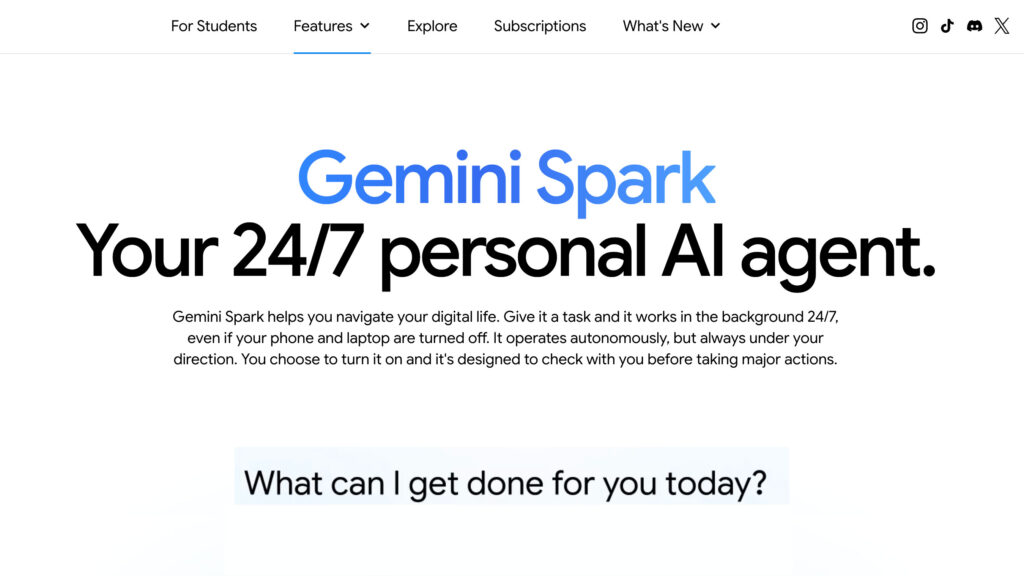
Yes. Google announced Gemini Spark in May 2026 as a 24/7 personal AI agent that can work on tasks and workflows under your direction.
The initial announcement described a rollout to trusted testers followed by a beta for Google AI Ultra subscribers in the United States. Google later confirmed that Gemini Spark is now available to all Google AI Ultra subscribers in the U.S.
Google’s current public availability statement no longer limits Spark to trusted testers. Eligible users still need to meet all of Google’s account, age, location, language and settings requirements.
What are the requirements for Gemini Spark?
According to the official Gemini Apps Help Center, you currently need all of the following to use Gemini Spark:
- You must be at least 18 years old.
- You must be located in the United States.
- You must sign in with a personal Google Account.
- Your personal account must have a Google AI Ultra subscription.
- Keep Activity must be turned on.
- You must use Gemini Spark in English.
- You must access it through the Gemini web app or Gemini mobile app.
1. You must be in the United States
Gemini Spark is currently limited to users in the United States. A Google AI Ultra membership may be available in your country while Spark itself is not.
This distinction is important. The subscription and the individual feature have different availability rules.
2. You need a personal Google Account
The current consumer version of Gemini Spark requires a personal Google Account that you manage yourself.
A work, school or supervised account may have different Gemini features, but it does not meet the account requirement Google currently lists for Gemini Spark.
3. You need Google AI Ultra
Gemini Spark is not currently included with the free Gemini plan or Google AI Pro. You need a Google AI Ultra subscription on the same personal Google Account you use to open Gemini.
4. You must be 18 or older
Google currently limits Gemini Spark to users age 18 and older. A supervised account or an account belonging to someone under 18 is not eligible.
5. Keep Activity must be on
Gemini Spark requires the Gemini Apps Keep Activity setting to be enabled. If you otherwise qualify but do not see Spark, check this setting before assuming your account is not eligible.
6. Spark is currently English-only
Gemini supports many languages, but Gemini Spark is currently available only in English. Your selected Gemini language may affect whether the Spark option appears.
How much does Gemini Spark cost?
Gemini Spark does not currently have a separate standalone price. Access is included with eligible Google AI Ultra subscriptions in the United States.
| Google AI plan | Current U.S. monthly price | Gemini Spark access |
|---|---|---|
| Google AI Free | $0 | No |
| Google AI Pro | $19.99 | No |
| Google AI Ultra 5x | $99.99 | Yes, for eligible U.S. users |
| Google AI Ultra 20x | $199.99 | Yes, for eligible U.S. users |
Google describes the two Ultra levels as offering different usage limits. Both Ultra levels include Gemini Spark for eligible U.S. subscribers. Pricing and plan benefits can change, so check the official Google AI subscription page before subscribing.
How to access Gemini Spark
Once your account meets the requirements, you can look for Spark in the Gemini app.
- Sign in to the personal Google Account connected to Google AI Ultra.
- Open the Gemini mobile app or go to gemini.google.com.
- Open the Gemini menu or sidebar.
- Look for the Spark tab or select Change mode.
- Select Switch to Spark.
- Open the Tasks area to create or review a Spark task.
The exact navigation can look slightly different across the web, Android and iPhone interfaces, but Spark should appear inside the Gemini app rather than as a separate standalone application.
Why is Gemini Spark not showing?
If Gemini Spark is not showing, check each requirement individually. Start by confirming that Gemini is signed into the exact personal Google Account that owns the Google AI Ultra subscription.
Check that you are using the correct Google Account
Many people have several personal, work and school Google accounts. Confirm that the account currently active in Gemini is the exact personal account that owns the Google AI Ultra subscription.
Confirm that your plan is Google AI Ultra
Google AI Pro and Google AI Ultra are different plans. Gemini Spark currently requires Ultra, not Pro.
Confirm your location
Gemini Spark is currently U.S.-only. Having access to Google AI Ultra outside the United States does not automatically provide access to Spark.
Turn on Keep Activity
Open your Gemini activity settings and confirm that Keep Activity is enabled. Spark depends on this setting for its tasks and workflows.
Set Gemini to English
Google currently lists English as the only supported language for Spark. Temporarily check your Gemini language settings if the option is missing.
Update or reopen the Gemini app
Install the latest Gemini app update, close and reopen the app, or sign out and back in. You can also check the web version at gemini.google.com to determine whether the issue is limited to your mobile app.
Check whether the account is managed
A work, school, supervised or otherwise managed account may not qualify even if you can access other Gemini features. Use the eligible personal account associated with Ultra.
Do more than find the Spark tab
Learn what to build once you get access
Follow beginner-friendly training for creating useful tasks, reusable skills and scheduled Gemini Spark workflows for business and productivity.
Start with Gemini Spark AcademyCan you use Gemini Spark with a work or school account?
Not through the current consumer eligibility path described in Google’s Gemini Apps Help Center.
Google currently requires users to sign in with a personal Google Account that has a Google AI Ultra subscription. A Google Workspace, school or employer-managed account does not meet that stated requirement.
Google may expand business and Workspace options in the future, but do not assume that a business Gemini subscription includes the same Spark access as a personal Google AI Ultra account.
What devices support Gemini Spark?
Gemini Spark is currently available through:
- The Gemini web app at gemini.google.com
- The Gemini mobile app on supported Android devices
- The Gemini mobile app on supported iPhone and iPad devices
You do not need to keep your phone or computer turned on while an ongoing Spark task runs. Google describes Spark as a 24/7 personal AI agent that can continue working in the background.
What can Gemini Spark connect to?
Gemini Spark can use several sources and tools to complete tasks, depending on your permissions and settings. Google currently lists sources such as:
- Connected Apps, including supported Google Workspace services
- Gemini Spark skills
- Schedules
- Your Gemini chats
- Websites you are signed into through its remote browser
- Personal Intelligence
- Location information when relevant and permitted
- Remote computer tools and code execution for supported tasks
Because Spark may work with personal data and connected accounts, review every permission carefully. Google warns users not to type passwords, payment details or sensitive information directly into a Spark task thread.
Does Gemini Spark have usage limits?
Yes. Gemini Apps use compute-based limits, and the amount of usage consumed by Spark depends on the number and complexity of your requests.
Long, multi-step tasks may use more of your allowance than a simple request. Gemini should notify you when you are approaching a limit. The 5x and 20x Ultra plans offer different usage levels, which is one reason their monthly prices differ.
What happens if you turn Gemini Spark off?
According to Google’s Gemini Apps Privacy Hub, turning Spark off pauses your tasks and schedules rather than deleting them.
- Your remote browser data and remote computer data are deleted.
- Your Spark tasks and schedules are paused.
- Your Gemini chats are not automatically deleted.
- If you turn Spark back on, paused tasks and schedules can resume automatically.
This is important if you are testing Spark and later decide you no longer want it working on ongoing tasks.
When will Gemini Spark be available in more countries?
Google has not announced a confirmed public date for expanding Gemini Spark beyond the United States.
Any specific international rollout date would be speculation until Google confirms it.
This article will be updated as Google adds countries, languages, account types or subscription options.
What can you do if Gemini Spark is not available to you?
You do not need to wait to start learning the workflow skills behind Gemini Spark.
You can already practice how to:
- Turn a repeated task into a clear workflow
- Write reusable AI instructions
- Define the information an agent needs
- Create consistent output formats
- Design tasks that include human review
- Build reusable skills for business and productivity
- Plan schedules and conditions for ongoing work
You can practice these concepts with Gemini, Gemini Gems, Claude, ChatGPT and the free AI agent generator while you wait for Spark access.
Gemini Spark Academy
Build useful AI workflows without starting from scratch
Get beginner-friendly setup guidance, practical workflow examples and reusable AI skills for research, content, planning, business and productivity.
Learn Gemini SparkGemini Spark availability update history
- May 19, 2026: Google announced Gemini Spark and began rolling it out to trusted testers.
- Late May 2026: Google began the U.S. beta for Google AI Ultra subscribers.
- May 29, 2026: Google stated that Spark was available to all Google AI Ultra subscribers in the United States.
- June 14, 2026: Eligibility requirements and U.S. availability verified against Google’s current product and Help Center pages.
Frequently asked questions about Gemini Spark availability
Is Gemini Spark free?
No. Gemini Spark currently requires an eligible Google AI Ultra subscription in the United States.
Does Google AI Pro include Gemini Spark?
No. Google currently lists Gemini Spark as an AI Ultra feature. A Google AI Pro subscription alone does not provide Spark access.
What countries have Gemini Spark?
Gemini Spark is currently available in the United States. Google has not announced a confirmed date for wider international availability.
Can I use Gemini Spark on iPhone or Android?
Yes. Eligible users can access Spark through the Gemini mobile app. It is also available through the Gemini web app.
Can I use Gemini Spark with a Google Workspace account?
The current public consumer requirements specify a personal Google Account with Google AI Ultra. Do not assume a work or school Workspace account is eligible for the same Spark experience.
Why do I have Google AI Ultra but not Gemini Spark?
Confirm that you are in the United States, at least 18, signed into the correct personal account, using English, and have Keep Activity enabled. Also check both the latest mobile app and the Gemini web app.
Do I need a separate Gemini Spark app?
No. Spark is accessed inside the Gemini web or mobile app. Look for the Spark tab or use the option to change modes and switch to Spark.
Is Gemini Spark available in languages other than English?
Not currently. Google lists Gemini Spark as English-only for now.
Learn more about Gemini Spark
Read our complete beginner guide to what Gemini Spark is and how it works, or visit the Gemini Spark Academy for step-by-step workflow training and reusable AI skills.
Editorial note: Gemini Spark is an experimental product, and availability, pricing and requirements may change. This guide is independently published by AI Agents Library and should be checked against Google’s current product pages before you subscribe.